> For the complete documentation index, see [llms.txt](https://docs.feedotter.com/llms.txt). Markdown versions of documentation pages are available by appending `.md` to page URLs; this page is available as [Markdown](https://docs.feedotter.com/newsletters/publishing/publishing-to-marketo/create-a-new-email-program-and-email.md).
# Create a New Email Program and Email
Create a new Email Program and Email with every newsletter send from FeedOtter.
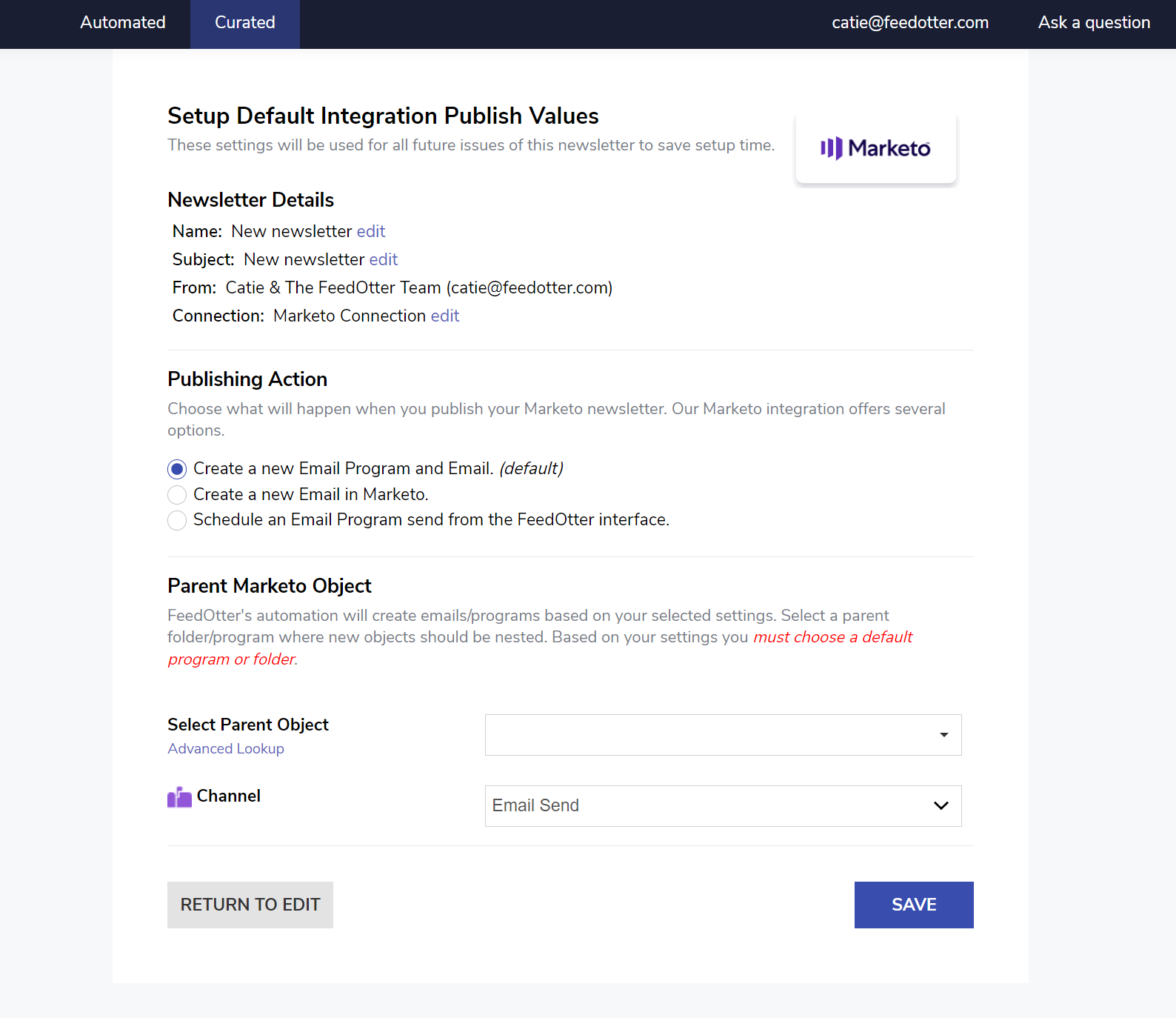
When selected, this option will create a new Email Program and Email in Marketo. You will then need to log in to Marketo and select the recipients (smart list) and schedule the send as desired.
{% hint style="info" %}
In this approach, FeedOtter creates the email in Marketo. You must complete the send in the Marketo interface.
{% endhint %}
When this option is selected, you will be presented with several Marketo-related options. The most important of these is the Parent Object.
{% hint style="warning" %}
The **Parent Object** is a default program or folder that will nest all new email programs and emails for your newsletter sends. This will allow you to easily find your newsletters in Marketo.
{% endhint %}
Select your Parent Object and Channel settings.
Click **Save** > **Return to Edit**. Finish setting up your newsletter defaults and then you're ready to [create your first newsletter](broken://pages/hKM6z93iAWQDBsNMc6Ho).
### How it will look in Marketo
When you create a newsletter in FeedOtter an publish it to Marketo you will need to select your:
* Audience
* Email Asset (choose the email FeedOtter created for you)
* Set the send date/time